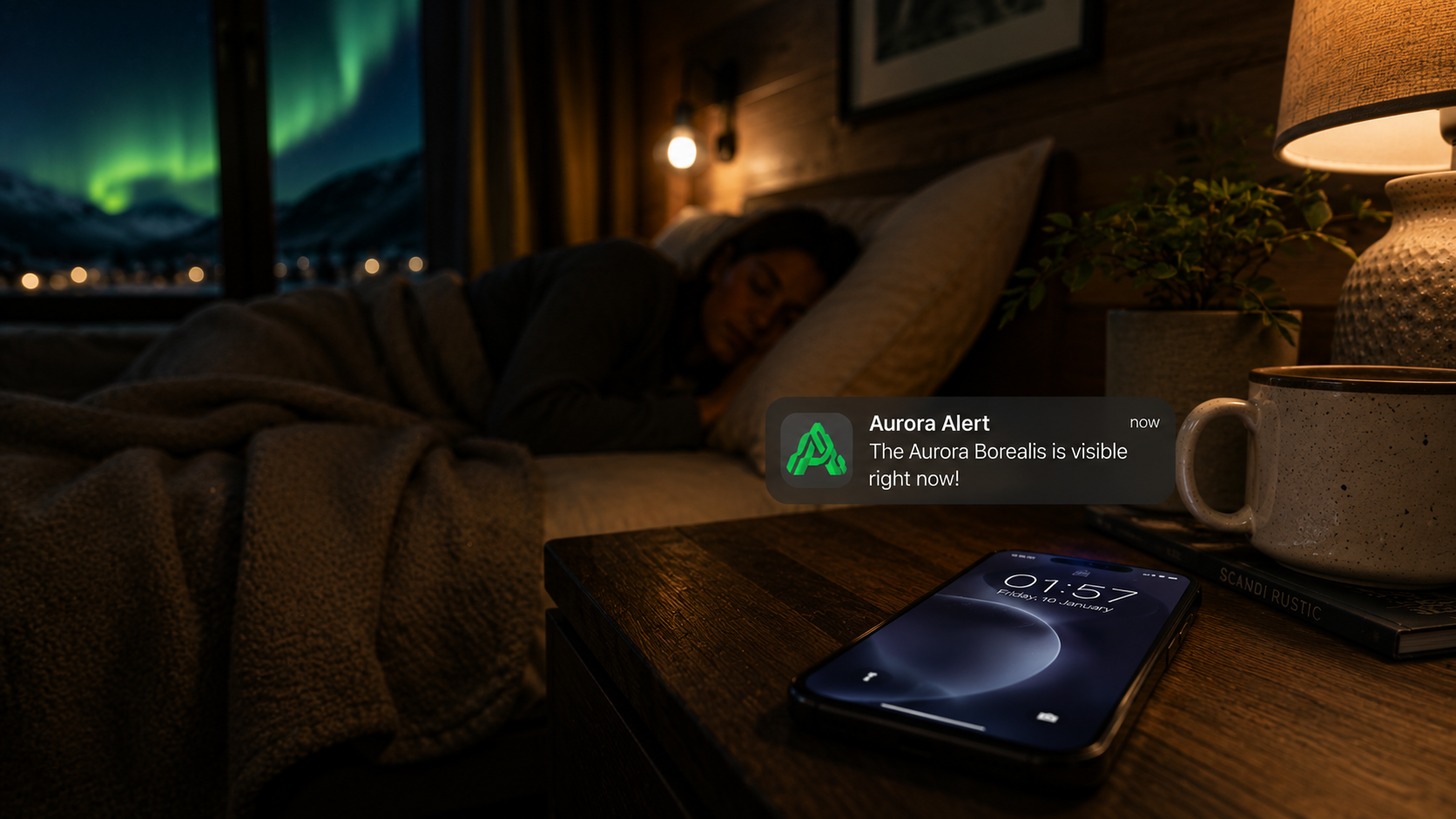
Aurora alert notification
For Hotels

How Aurora
Wake-Up Calls
Actually Work

From QR scan to guest phone — the full alert flow explained.
6 min read B2B Guide By Arcticlyn

The aurora doesn't schedule itself. It appears — sometimes for twenty minutes, sometimes for three hours — and the gap between your staff seeing it and your guests seeing it is, without the right infrastructure, measured in missed opportunities. Most hotels in aurora destinations have no system for this moment. Arcticlyn is that system: built so that the instant your team confirms the lights are up, every connected guest knows within five seconds.

01
Setup
The QR goes
in the room

"One QR code, downloaded from your dashboard, printed and placed. That is the complete setup."

— Arcticlyn Product Team

From your dashboard, you download your property's unique QR code — available as PNG or PDF, ready to print. Each code encodes your hotel's identifier directly. There is no configuration per room, no rotating codes, no management overhead.

Place it on the bedside table, inside the welcome card, or at reception. That is the complete setup. Your guests do everything else.
The QR links to a page that detects whether Arcticlyn is installed on the guest's phone. If it is, the app opens immediately and the guest is connected to your property in one tap. If it isn't, they're directed to the App Store — and when the app opens for the first time, it automatically recovers their hotel connection. They never have to scan again.

At a Glance
1
QR per property
PNG
or PDF, print-ready
0
Hardware required
0
Per-room config
02
Guest onboarding
Guest scans,
connects, sleeps

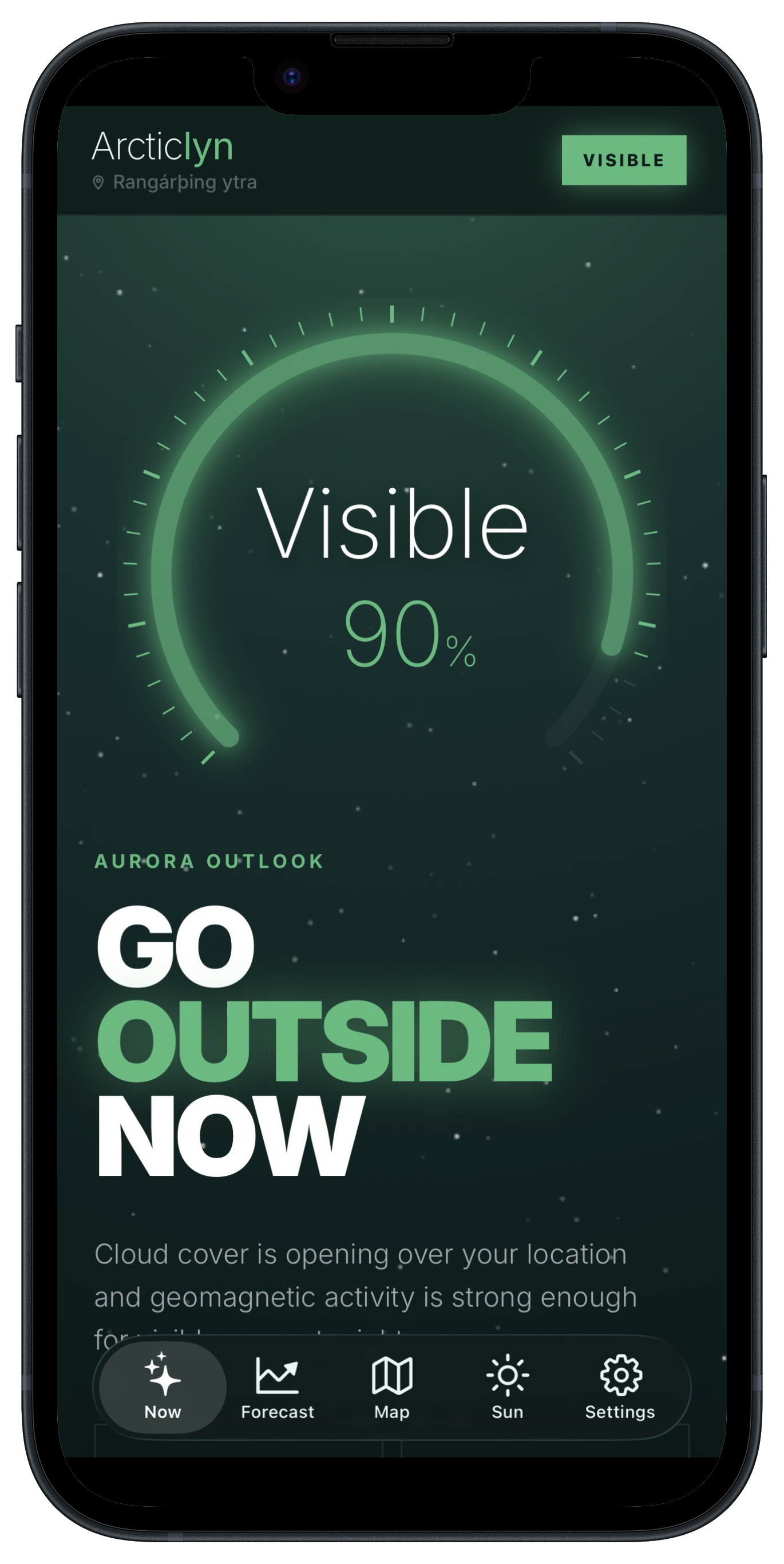
After scanning, the guest moves through a four-screen onboarding that explains exactly what they're signing up for: they will receive an alert if the aurora appears during their stay. Clear, honest, no fine print. At the end, the app requests notification permission.

Once accepted, the guest is linked to your hotel. From that moment, they're in your alert list — no account creation, no email required, nothing to remember. They put the phone face-down and go to sleep knowing someone is watching the sky for them.

"Four screens. The entire flow — from QR scan to fully connected — takes under 60 seconds."

— Arcticlyn Product Team
Arcticlyn guest app
Guest App · iOS

The link is valid for 5 days and expires automatically — long enough to cover a standard hotel stay, short enough to keep your guest list current without manual work. If a guest checks out early, they can tap "Leave hotel" in the app.

At any point, your dashboard shows the live count of connected guests. When that number is above zero, your property is ready to send.

03
The send
One button.
One confirmation.

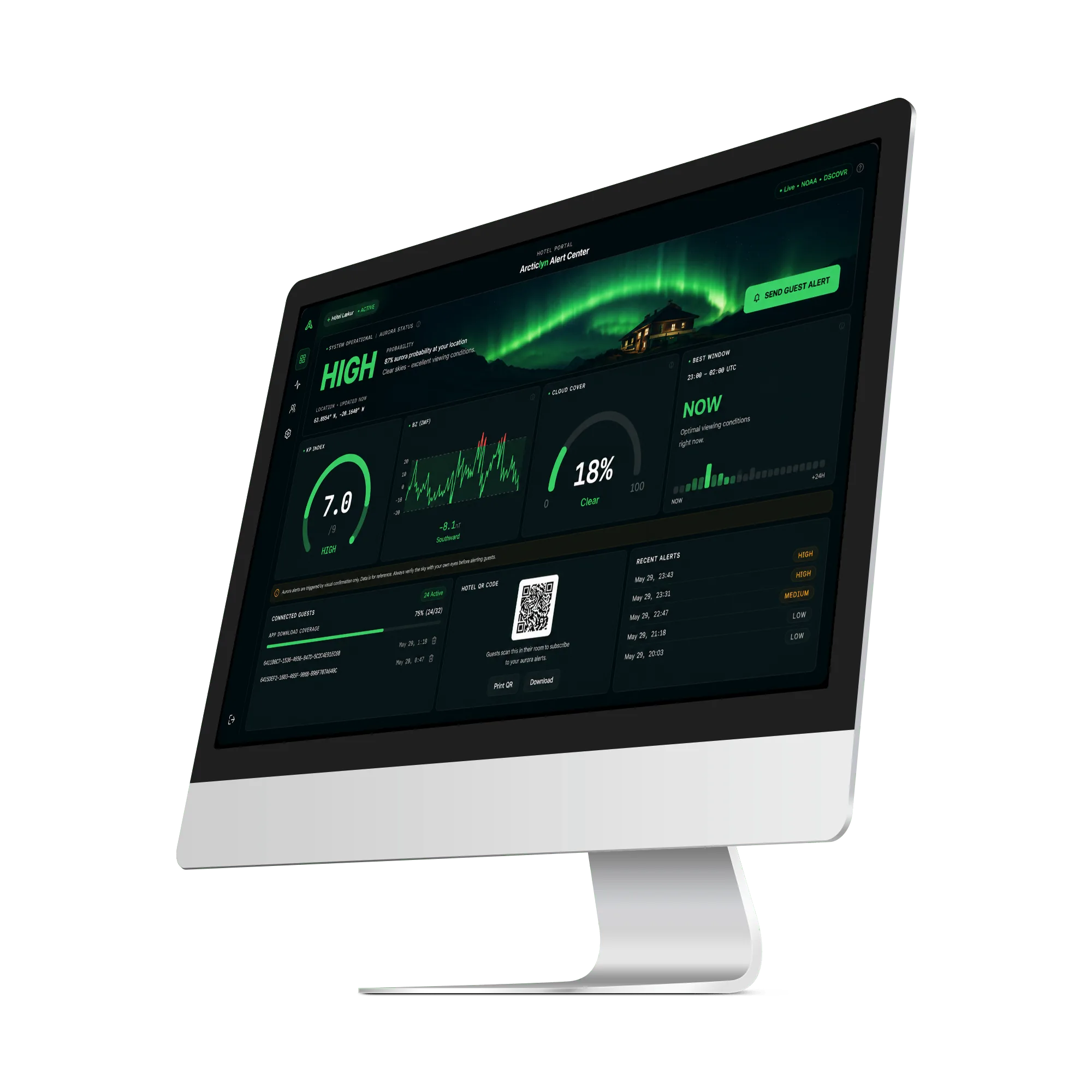
Your staff sees the aurora. They open the Arcticlyn dashboard — from any browser, any device — or the "For Hotels" panel inside the app using the same hotel credentials. Both surfaces show the same thing: the current guest count and the send button.

They press "Send Aurora Alert." A confirmation step appears — a single prompt asking them to verify the aurora is visible now. This prevents accidental sends and gives staff a clear moment to confirm what they're seeing before waking every guest at once. One tap to confirm, and the signal is sent.

"The decision to send belongs to the person standing outside looking at the sky. The system handles everything else."

— Arcticlyn Product Team
Arcticlyn Hotel Dashboard
Arcticlyn Hotel Dashboard · arcticlyn.com/dashboard
Web Dashboard
From any browser
Laptop at the front desk, tablet in the lobby. The dashboard works from any device with a browser — no app installation required for staff. Alert history, guest count, QR download — all in one place.
Staff App · iOS
From the field
The "For Hotels" panel inside the Arcticlyn app. Same credentials as the web dashboard. Designed for staff who spot the aurora from outside and want to send without going back inside to a computer.
04
The alert
Every phone.
Under 5 seconds.

"Not a banner that waits until morning. A Time Sensitive alert that arrives the moment your staff presses send."

— Arcticlyn Product Team

Pressing send triggers a chain that runs on production infrastructure: the request reaches Arcticlyn's backend, which queries the live list of active guests for your property, then dispatches through Apple's push network via OneSignal. Every connected guest receives the notification within the target window of five seconds.

The alert carries your hotel's name and, if configured, a custom message of up to 140 characters — something like "Aurora is strong right now — look north." The full alert history is logged in your dashboard with timestamps and guest reach counts after every send.

The notification arrives as a Time Sensitive alert — a priority level introduced by Apple specifically for time-critical events. Unlike standard push notifications, Time Sensitive alerts are permitted to bypass Focus mode and Do Not Disturb on the guest's phone.

Guests accept this permission explicitly during onboarding. They know what they signed up for. That informed consent is what makes the system work — and what keeps it trustworthy.

About the physical mute switch: Time Sensitive notifications bypass Focus and Do Not Disturb, but not the iPhone's physical mute switch. A guest who has their phone muted will receive the alert visually on screen, but without sound.
The Point

The hotel is
the hero.

There is a version of this night where the guest wakes up at 7am, opens Instagram, and sees photos of exactly what happened outside their window while they slept. They booked this trip for this moment. They had the right hotel, the right night, the right conditions — and nobody woke them up.

There is another version where your staff spots the aurora at 2am, presses one button, and 40 guests reach for their coats within minutes. That is a different review. A different conversation on the flight home. A different property.

Arcticlyn doesn't guarantee the aurora appears. Nothing does. What it guarantees is that when the sky lights up and your staff sees it, no guest misses it because of a phone on silent or a notification nobody sent. That distinction is the product.

Ready to never let a guest miss the aurora?

Start Free Trial → ⬇ Download the App